Programming Icons Pack for Modern Digital Projects
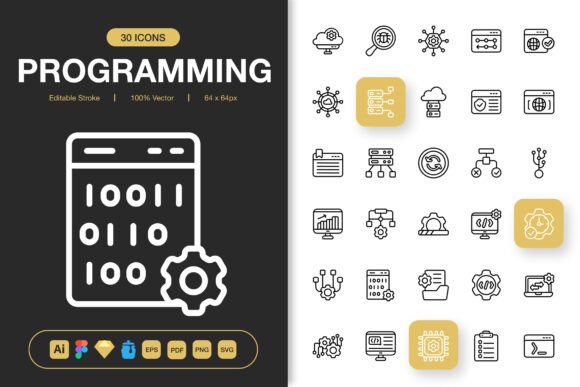
Every project you build needs a visual language that communicates clearly without overwhelming the people using it. Whether you're assembling a developer portfolio, sketching a mobile app interface, or designing an educational handout, icons carry a lot of weight. The Programming Icons Pack is a curated collection of high-quality icons built around coding, development tools, languages, frameworks, and technical concepts. What makes it stand out is not just the range of symbols included but the thoughtful way the files are prepared—giving you freedom to adapt them across websites, mobile apps, books, social media posts, infographics, flyers, print materials, banners, and posters without wrestling with file compatibility or inconsistent line weights.
What Actually Comes in the Collection
Instead of selling you a vague promise of "great icons," this pack ships with a structured set of source and export files that match real workflow needs. You receive the original Adobe Illustrator file for deep editing, a Figma file for collaborative design work, an Iconjar file for organized browsing, a Sketch file for macOS-based UI design, along with EPS, PDF, and SVG formats for cross-platform compatibility. On top of that, PNG exports with transparency are provided at seven distinct sizes—32px, 48px, 64px, 96px, 128px, 256px, and 512px—so you do not have to batch-resize anything before dropping icons into a presentation, a Notion page, or a Canva layout. A straightforward Readme.txt ties it all together with usage notes.
If you have ever spent an afternoon hunting for a single file type that a client or platform requires, the multi-format approach here solves that frustration immediately. You can open the SVG in a code editor and tweak hex values, drop the PNG into a Keynote slide, or pull the Figma file into a team library where multiple people can access the same icon set without duplication or drift.
Why Different People Gravitate Toward This Pack
A freelance front-end developer might look at this collection and think about speed—grabbing ready-made icons for a client dashboard without commissioning custom illustrations. A content creator running a tech blog might see it as a branding shortcut, using the same icon family across featured images, YouTube thumbnails, and downloadable PDF guides. An educator building coding course decks might value clarity above all else, wanting symbols that learners recognize at a glance without decorative noise. Each group brings different expectations, and the pack accommodates several of them without forcing anyone into a single way of working.
For the Beginner Who Wants Less Friction
Starting out in design or development often means facing a wall of unfamiliar tools and file types. You might not own Illustrator, or you might not know what an EPS file is yet. The Programming Icons Pack meets beginners where they are by including straightforward PNG files at multiple sizes and an easy drag-and-drop experience. You do not need to learn bezier curves to use these icons effectively. Simply pick the size you need—perhaps 64px for a website sidebar or 256px for a printed flyer—and place it into your project. As your skills grow, the editable source files remain available for you to explore later, which means the pack scales with your learning curve rather than punishing your current limitations.
For the Experienced Designer Juggling Clients
Seasoned designers care about stroke consistency, scalability, and the clean integration of assets into existing design systems. The editable stroke feature here is particularly useful because it lets you adjust the line thickness across entire icon sets without redrawing anything. If a client's brand guidelines shift from a 2px stroke to a 1.5px stroke, you can propagate that change in the source file rather than manually editing dozens of individual SVGs. The 100% customizable nature means every icon can be recolored, reshaped, or combined with other UI elements without degrading quality. For a professional charging by the hour, this level of control saves billable time and reduces revision cycles.
For the Entrepreneur or Small Business Owner
If you are building a SaaS product, running a tech meetup, or launching a coding bootcamp landing page, your visual credibility influences whether visitors trust you enough to sign up or buy. Icons that look mismatched or pixelated can undermine that trust silently. The high quality and minimalist icon design in this pack help you present a polished digital presence without hiring a brand designer from day one. Because the licensing typically allows broad commercial use, you can place these icons on marketing materials, onboarding screens, email newsletters, and even printed banners for conferences—all from a single purchase. This cross-medium flexibility matters when budgets are tight and every asset needs to perform multiple roles.
For the Content Creator and Marketer
Bloggers, YouTubers, and social media managers often operate under tight content calendars where visual consistency becomes a silent branding tool. Using the same icon set across an infographic about Python basics, an Instagram carousel about debugging tips, and a downloadable PDF cheat sheet creates a recognizable visual thread that audiences notice subconsciously. The PNG transparency at multiple sizes makes overlaying icons onto photos or colored backgrounds trivial—no white box artifacts, no awkward cropping. When you are editing at midnight before a scheduled post goes live, easy drag-and-drop access matters more than theoretical design purity.
Where These Icons Actually Shine
The list of compatible formats and platforms is extensive for a reason. Different project types ask different things of an icon set. A few practical scenarios help illustrate where this pack fits naturally into everyday creative and technical work.
- Websites and web applications: Use SVG files for crisp rendering at any viewport size. The editable stroke option helps match the icon weight to your chosen typeface, creating a harmonious reading experience across documentation pages, dashboards, and landing sections.
- Mobile apps: Export PNGs at the exact sizes needed for iOS and Android asset pipelines, or pull the Sketch or Figma files directly into your UI design tool. The minimalist style prevents icons from competing with interface text for attention.
- Books, ebooks, and printed guides: The EPS and PDF files support high-resolution print output, so technical authors and publishers can place coding-related icons alongside code snippets without blurriness or compression artifacts.
- Infographics and data visualization: Pairing clear programming icons with statistics about language popularity, developer surveys, or tech industry trends makes complex information more scannable for readers on LinkedIn, Medium, or corporate blogs.
- Flyers, banners, and posters: Event organizers promoting hackathons, workshops, or tech conferences can scale the 512px PNGs or vector files to large formats without losing sharpness, giving printed materials a professional finish.
- Social media content: Consistent icon usage across Twitter, Instagram, Facebook, and TikTok posts reinforces brand identity. The transparent PNGs layer easily onto gradient backgrounds, thumbnail templates, or video overlays.
Priorities That Shape the Buying Decision
Not everyone evaluates an icon pack through the same lens. Some readers prioritize ease of use above all—they want to download and deploy without opening a manual. Others weigh long-term usefulness heavily, asking whether the icons will still look modern and relevant two or three years from now. The minimalist design language used here leans toward timelessness rather than trend-chasing, which matters if you are embedding these symbols into a product that will ship for years, not weeks. Then there is the question of flexibility. A pack locked into one proprietary format limits your options; a pack delivered across Illustrator, Figma, Sketch, Iconjar, SVG, EPS, PDF, and PNG opens doors to collaboration with teams that use different tools.
Cost also shapes perspectives differently. A student learning UI design might see the price as an investment in a reusable resource that spans multiple class projects. An agency owner might view it as a negligible line item that prevents expensive designer hours spent drawing terminal icons from scratch. A hobbyist building a personal coding blog might compare the cost to a few coffees and decide the time saved justifies the purchase. There is no single correct calculation, only the one that matches your context.
Making the Most of Editable Strokes and Customization
One feature worth spending extra time with is the editable stroke capability. In icon design, stroke weight affects perceived modernity—thinner strokes often feel more elegant and technical, while thicker strokes read as bolder and more approachable. Because these icons are built with editable strokes rather than outlined fills, you can experiment with different weights to see what sits best next to your chosen typography. If you are designing a dark-mode developer tool, a slightly thinner stroke with higher contrast might feel appropriate. If you are creating a colorful kids' coding app, a thicker stroke with rounded corners might feel friendlier. The 100% customizable promise is not just marketing phrasing; it reflects a file structure that preserves editability rather than baking every design decision into an unchangeable final form.
For Figma and Sketch users, customization extends to component-level overrides. You can swap colors, resize, and nest icons inside larger design components without detaching or breaking links to the original symbols. Teams maintaining design systems will appreciate that the Iconjar file also lets you browse and search the collection visually before committing to a specific symbol, which speeds up the selection process during fast-paced sprints.
Who This Pack Might Not Serve Well
While the collection covers broad ground, being honest about fit helps you make a confident decision. If your project requires highly detailed, illustrative icons with gradients, textures, and complex shading, this minimalist approach may feel too restrained. The icons are designed to communicate programming concepts clearly at small sizes, which naturally favors simplicity over ornamentation. Similarly, if you need industry-specific regulatory symbols or niche proprietary software logos, you may need to supplement with additional resources. But for the vast middle ground—sites, apps, slide decks, prints, and posts where developers, tools, code, and technical processes appear regularly—the scope aligns well.
Deciding Based on Your Own Goals
Take a moment to list the projects you expect to work on over the next six to twelve months. Do several of them involve presenting technical information visually? Are you tired of mixing icons from five different free packs that each have slightly different styles, line weights, and padding? Does your workflow span multiple tools that need different file formats? If you answered yes to more than one of those questions, the Programming Icons Pack likely fits into your toolkit as a reliable, adaptable foundation rather than a single-use purchase. The included Readme file makes onboarding straightforward, and the variety of export sizes removes the friction that often discourages people from using premium assets after buying them.
What matters most is that you spend less time preparing assets and more time building the thing those assets are meant to support—whether that is a client deliverable, a course curriculum, a product launch, or a personal passion project that deserves to be seen as clearly as you imagined it. Good icons help people navigate information. Great icons do it so naturally that nobody notices them at all. This pack aims for the latter, and the file structure, format diversity, and minimalist design all point in that direction.